How to Buy an Ad on a Twitch or YouTube Live Stream Without an Agency
Platform ad tools, direct creator deals and self-serve overlay slots compared, with the platform rules to know, what to prepare and a step-by-step checklist.
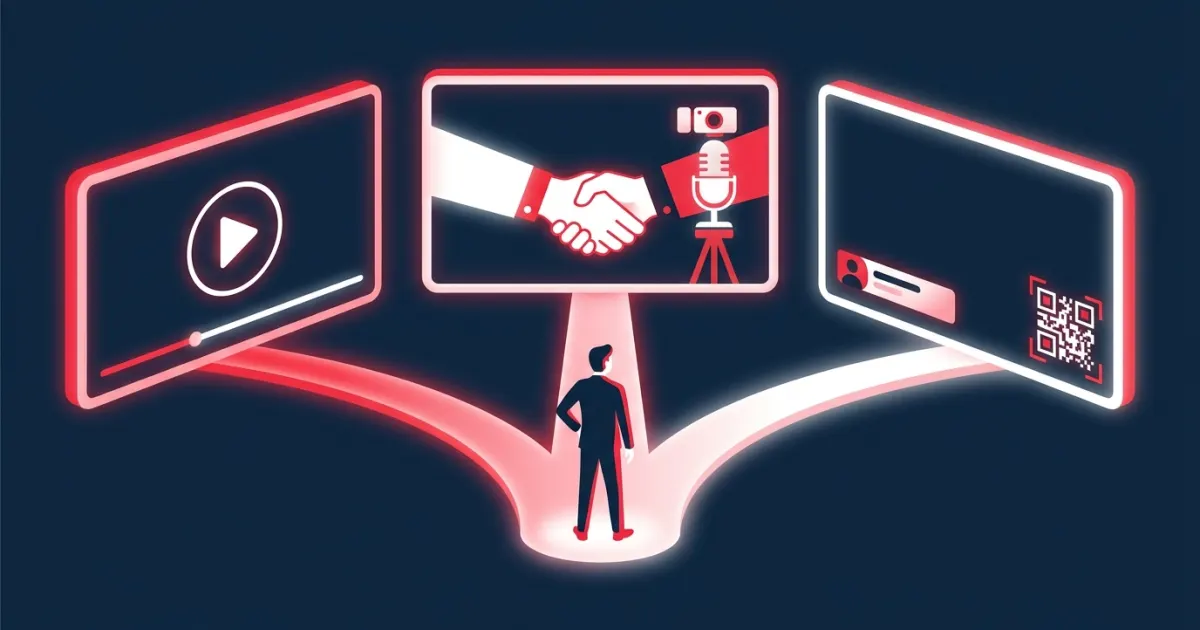
You can buy an ad on a Twitch or YouTube live stream without an agency in three ways: run the platform's own ads yourself (Twitch ads through Amazon Ads, YouTube ads through Google Ads), make a sponsorship deal directly with a streamer, or book a self-serve overlay ad slot that a streamer sells by the minute. Platform ads give you scale but not a booked spot in a particular broadcast. Direct deals and self-serve slots put your brand inside a stream you chose.
Key takeaways
- Twitch ads are sold through Amazon Ads, with a self-service option through Amazon Ads Agent and a managed service.
- YouTube live streams can carry Google Ads video ads, but you target audiences, topics or channels rather than booking a moment in a broadcast.
- Direct deals put you inside a specific creator's show. Google Ads' YouTube Creator Partnerships tool helps you find eligible creators.
- Both platforms keep ad breaks for themselves and treat creator deals as branded content that must be disclosed.
- Prepare your landing page, tracked links, creative and brand-safety brief before you contact anyone.
Option 1: Buy platform ads yourself
Twitch ads through Amazon Ads
As of 2026, the Amazon Ads Twitch page offers "Twitch media," meaning video and display ads across the Twitch homepage, discovery pages and streamer channels, bought either self-service through Amazon Ads Agent or as a managed service. Its FAQ says brands can launch these campaigns "with a minimum spend," without naming an amount, and that advertisers can buy Twitch ads whether or not they sell products in the Amazon store. The Amazon Ads Agent page adds that display, video and audio campaigns are "available self-service with budgets you set," while the managed service "typically requires a minimum spend that varies by country."
Amazon's Twitch advertising guide explains that Twitch video ads play before streams as pre-rolls or during them as mid-roll breaks, that these ad breaks can last from 30 seconds to three minutes, that running mid-rolls "is entirely up to the streamer," and that video ads on Twitch are unskippable. For placements inside a streamer's show, Amazon lists Creator Activations and Creator Sponsorships, which go through its sales team.
YouTube ads through Google Ads
YouTube ads are run as video campaigns in Google Ads. Formats include skippable and non-skippable in-stream ads and short bumper ads, and Google notes that video ad content must be hosted on YouTube. Live streams are part of this inventory: YouTube Help says pre-roll and display ads are turned on when a creator monetizes a live stream, mid-rolls can play during it, and "it is not guaranteed that all viewers will get a mid-roll ad."
You can target by placements, demographics, audiences, keywords and topics, and placements can be specific YouTube channels or videos. Google's content suitability settings even let you exclude "live streaming videos" if you'd rather avoid live content. What these self-serve options don't do is book a particular broadcast at a particular time.
Choose platform ads when you have a finished video, want reach across many channels, and are comfortable letting the platform decide exactly where your ad shows.
Option 2: Make a direct deal with a creator
A direct deal is a sponsorship you negotiate with the streamer or their manager: a logo on screen, a spoken mention, a product segment, a chat link or a dedicated stream.
On YouTube, Google Ads includes YouTube Creator Partnerships. Its general creator search "is available to all active Google Ads accounts that are registered in a country where the YouTube Partner Program is available," with no minimum spend, and lets you find creators and "contact them directly." The creator-side help page says the discoverable creators are in the YouTube Partner Program, and that the creator will "negotiate and sign an agreement directly with the brand" and be paid by the brand. Smaller creators outside the program won't show up there, so search YouTube itself and use the contact details creators list on their channels.
On Twitch, independent streamers often handle sponsorships themselves, so check their channel page for a business contact. Larger, managed programs run through Amazon's sales team, as described above.
Whatever the platform, put these points in writing before you pay:
- Deliverables: on-screen time, mentions, links, and where your logo or banner appears
- Dates, times and what happens if the stream is canceled
- How the creator will disclose the sponsorship
- Content rules: topics, language and competitors you won't sit next to
- Creative approval: who signs off, and by when
- Fee, payment timing and any usage rights for clips
Choose a direct deal when you want a creator's endorsement in their own voice and have time to negotiate.
Option 3: Book a self-serve overlay ad slot
Some streamers sell banner time on their stream overlay directly. You pick the stream and the number of minutes, upload a banner and pay the streamer's listed price. There's no ad account, no negotiation and no media plan, and the streamer can review each ad before it runs. If you're new to the format, our explainer on stream overlay ads covers how overlays differ from pre-rolls and mid-rolls.
Choose a self-serve slot when you want a specific, small, fast test with a known price.
The three routes compared
| Platform ads | Direct creator deal | Self-serve overlay slot | |
|---|---|---|---|
| Where your ad appears | Ad breaks and placements the platform controls | Inside the creator's content | As a banner inside the stream picture |
| Choose the exact broadcast | No | Yes | Yes |
| What you need | Ad account, creative to specs, targeting | Outreach, a brief, an agreement | A banner and a payment method |
| How you pay | Campaign budget; Twitch mentions a minimum spend | Negotiated fee | Streamer's price per minute × minutes |
| Tracking | Platform reporting | Links and codes you set up | Your UTM links plus scan counts where tracked |
Platform rules to know before you buy
Both platforms reserve their ad breaks for themselves and expect creator deals to be labeled. As of 2026:
- Twitch: the Terms of Service give Twitch "the exclusive right to sell, serve, and display advertisements" on Twitch and say third-party advertising networks are not allowed to serve ads there. Creators may still publish "Branded Content," including paid product placements, endorsements and sponsorships, and must disclose it with Twitch's Branded Content tool.
- YouTube: the Branded Content Policy requires creators to declare paid promotion, applies to live streams, and says creators can't "burn or embed advertiser-created and supplied video ads or other commercial breaks" into their content. A separate page on embedded third-party sponsorships says creators can't include promotions, sponsorships or other ads for third parties where YouTube offers a comparable ad format, "including but not limited to" pre-, mid- and post-roll video ads and bumpers, while paid product placements and endorsements are allowed if they follow YouTube's ad policies and the law.
- FTC: the Disclosures 101 guide says that in a live stream, the disclosure "should be repeated periodically so viewers who only see part of the stream will get the disclosure."
In practice, buy creator placements as sponsorships the creator chooses to feature and discloses, not as a substitute for the platform's own commercial breaks. Ask each creator how they'll disclose your placement, and add a small "Ad" or "Sponsored" label to your creative. Rules change and vary by country, so treat this as general information, not legal advice.
What to prepare before you buy
- One goal and one offer, such as a demo download, an app install or a discount
- A landing page that repeats the ad's promise
- A UTM-tagged link for each channel, plus a QR code that points to it
- Creative for your route: a YouTube-hosted video for Google Ads, display assets to Twitch's specs, or a banner for overlays (see how to design a banner ad for a live stream)
- A short brand-safety brief: topics, language and competitors to avoid
- A budget per test and a stop rule, for example "pause any channel that gets zero scans after two slots"
- A tracking sheet with cost, scans, visits and sign-ups per placement
Step by step: your first stream ad without an agency
- Pick the route that fits your goal: platform ads for reach, a direct deal for endorsement, a self-serve slot for a quick, specific test.
- Shortlist channels whose audience matches your customers, and watch each one live.
- Set up the buy. For platform ads, create the campaign, targeting and budget. For a direct deal, send a short brief, agree terms in writing and confirm disclosure. For a self-serve slot, book through the streamer's page.
- Watch your ad run and take screenshots.
- Log results within a day or two, then re-book the channels that worked.
For planning and budgeting across all three routes, see our practical guide to live stream advertising.
How this works on AD on Live
AD on Live is a self-serve marketplace for the third route. Each streamer has a public booking page at adonlive.com/s/ followed by their channel name. When no ad is running, the QR code on the streamer's overlay opens that page, unless the streamer has hidden the idle state. Streamers who opt in are also listed in the channels directory. You enter your email, add an optional destination URL, choose 1 to 60 minutes, upload a JPG, PNG or GIF banner up to 2 MB, crop it to the streamer's aspect ratio and pay with PayPal. You don't need an account, and there's no minimum budget beyond the streamer's per-minute price.
At checkout, PayPal authorizes the payment, and the funds are captured only when the streamer approves your ad, or immediately if they use auto-approve and are on air when you book. If the streamer rejects it or doesn't respond within 3 days, the authorization is voided and the hold is released. Our explainer on payment authorization for ad buys walks through how that works. While your ad runs, the overlay shows your banner with a QR code, a countdown and a small "Ad" label, and AD on Live counts scans and clicks through a short tracking link. It doesn't measure impressions or viewer counts.
Start with the route that fits your budget
You don't need an agency to get your brand onto a live stream. Use platform ads for reach, direct deals for endorsements and self-serve slots for small, specific tests, and track every placement separately. To book a slot on a stream you've chosen, see how AD on Live works for advertisers.
Frequently asked questions
Can I buy an ad on a specific Twitch or YouTube live stream?
Self-serve platform ads let you target audiences, topics or channels, not a booked moment in a particular broadcast. To appear inside a specific creator's stream, you sponsor that creator directly, use Twitch's sales-led creator programs, or book an ad slot the streamer sells themselves.
Do I need an agency to advertise on Twitch?
No. Amazon Ads lists a self-service option for Twitch video and display ads through Amazon Ads Agent, alongside a managed service, and you can approach streamers directly for sponsorships. Agencies mainly help with scale, negotiation and reporting.
How do I find YouTube creators to sponsor?
Google Ads includes YouTube Creator Partnerships, where you can search for creators in the YouTube Partner Program and contact them directly. Creators outside that program won't appear there, so for smaller channels you'll also need to search YouTube itself and use the contact details creators list.
Does a streamer have to disclose my ad?
Yes. Twitch's Terms of Service require streamers to disclose Branded Content with Twitch's Branded Content tool, YouTube requires creators to declare paid promotion, and the FTC says brands share responsibility for clear disclosure.
Sources
- advertising.amazon.com/channels/twitch
- advertising.amazon.com/adtech-solutions/amazon-ads-agent
- advertising.amazon.com/library/guides/twitch-ads
- support.google.com/google-ads/answer/2375464?hl=en
- support.google.com/youtube/answer/7385599?hl=en
- support.google.com/google-ads/answer/2454017?hl=en
- support.google.com/google-ads/answer/12764663?hl=en
- support.google.com/google-ads/answer/15471603?hl=en
- support.google.com/youtube/answer/9385307?hl=en
- legal.twitch.com/en/legal/terms-of-service/
- support.google.com/youtube/answer/17596007?hl=en
- support.google.com/youtube/answer/3364658?hl=en
- ftc.gov/business-guidance/resources/disclosures-101-social-media-influencers
Advertise on a live stream
Book a sponsor slot by the minute. You're charged only if the streamer approves your ad.
See how it works