Live Stream Advertising: A Practical Guide for Small Businesses
Compare platform ads, streamer sponsorships and overlay ad slots, then plan, buy and measure your first campaign on a small budget.
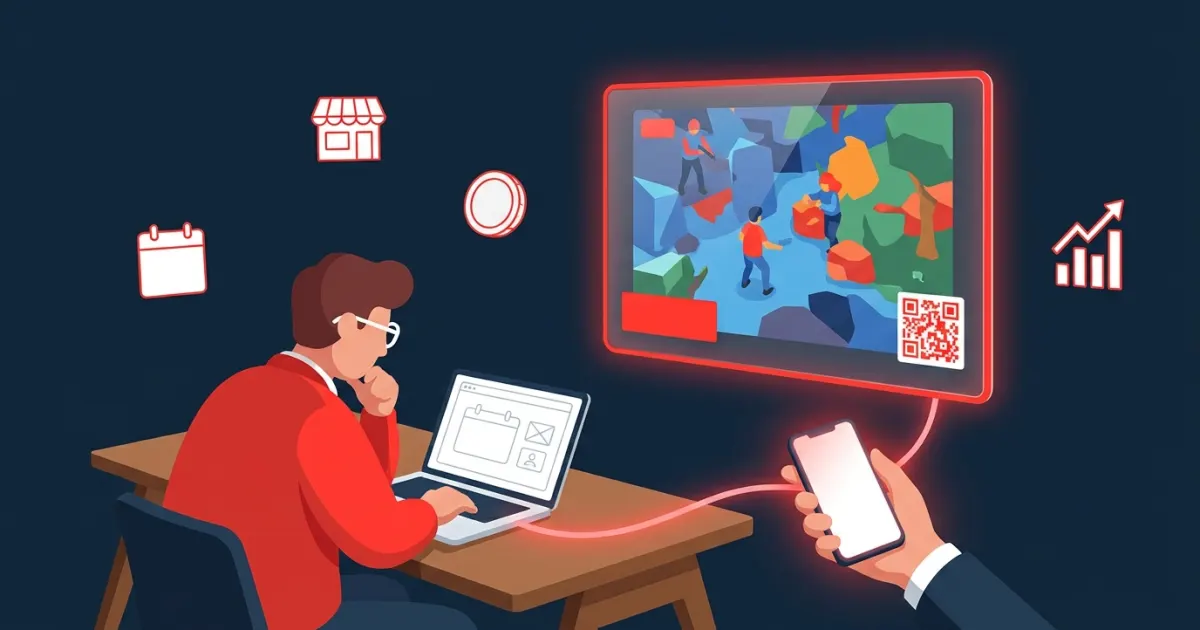
Live stream advertising means paying to put your brand in front of people while they watch a live broadcast on platforms such as Twitch or YouTube. A small business has three practical ways in: buy the platform's own ads, sponsor a streamer directly, or book a self-serve overlay ad slot that shows your banner on a specific stream for a set number of minutes. On a modest budget, the smartest start is a small, trackable test with a few streamers whose audience looks like your customers.
Key takeaways
- Platform ads (Twitch through Amazon Ads, YouTube through Google Ads) offer scale and targeting, but you don't choose the exact broadcast your ad lands in.
- Direct sponsorships put you inside a creator's show, but they take outreach, negotiation and usually a bigger commitment.
- Overlay ad slots sold by the minute let you buy a short placement on a stream you picked, at a price you know upfront.
- Measure every placement separately with a landing page, UTM-tagged links and QR scan counts.
- Sponsored content must be disclosed, and the FTC holds brands responsible too, not just creators.
What counts as live stream advertising?
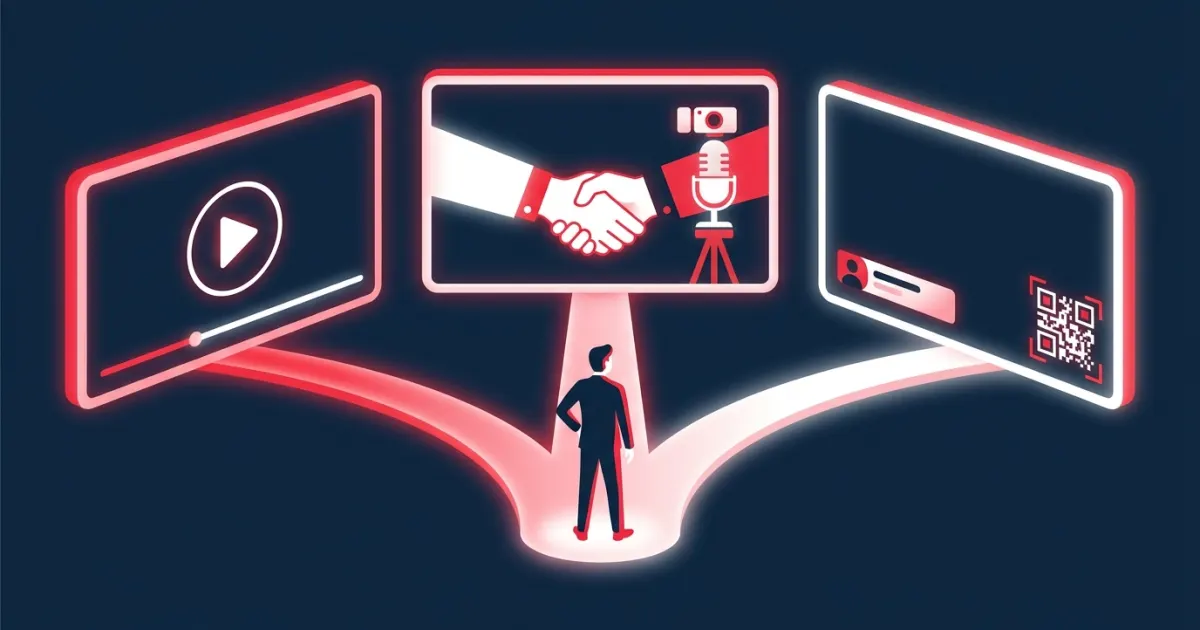
Three formats cover almost everything you'll be offered:
- Platform ads: video ads that play before a stream (pre-roll) or during it (mid-roll), plus display ads elsewhere on the site. The platform sells them and places them.
- Sponsorships: a deal with a creator to feature your brand, such as a shout-out, a product segment, a logo on screen or a dedicated stream. Platforms call this branded content or paid promotion.
- Overlay ads: a graphic, usually a banner, that is part of the broadcast picture itself. Streamers add overlays in their streaming software, so the ad appears inside the video rather than in a separate ad break.
Option 1: Platform ads
Twitch ads through Amazon Ads
Twitch sells its ads through Amazon Ads. As of 2026, the Amazon Ads Twitch page describes "Twitch media" as video and display ads across the Twitch homepage, discovery pages and streamer channels, bought either self-service through Amazon Ads Agent or through a managed service. The same page says brands can launch these campaigns "with a minimum spend" without naming an amount, and that advertisers can buy Twitch ads whether or not they sell products in the Amazon store.
Amazon's Twitch advertising guide explains that video ads appear before streams as pre-rolls or during streams as mid-roll breaks, and that running mid-roll ads "is entirely up to the streamer."
YouTube ads through Google Ads
YouTube ads are bought in Google Ads. The video ad formats include skippable in-stream ads (viewers can skip after 5 seconds), non-skippable in-stream ads and bumper ads of up to 6 seconds, billed per view or per impression depending on the format and bidding. Live streams carry these ads too: YouTube Help says pre-roll and display ads are turned on when a creator monetizes a live stream, mid-rolls can run during it, and "it is not guaranteed that all viewers will get a mid-roll ad." You can steer delivery with placement targeting, which lets you choose specific YouTube channels or videos.
Best for: brands with a finished video ad, enough budget to optimize across many placements, and a goal of broad reach.
Option 2: Direct sponsorships
A sponsorship is a deal you negotiate with the creator or their manager. You agree on deliverables (mentions, segments, on-screen logo, chat links), dates and a fee, and the creator presents your brand in their own voice.
Both big platforms expect these deals to be labeled. Twitch's Terms of Service define paid product placements, endorsements and sponsorships as "Branded Content" and require the streamer to disclose it with Twitch's Branded Content tool. YouTube's Branded Content Policy requires creators to declare paid promotion and says the policy applies to live streams.
Best for: brands that want a creator's endorsement, have time to negotiate, and can commit more than a test budget.
Option 3: Self-serve overlay ad slots
An overlay ad slot is a banner that runs on a specific stream for a fixed time. The streamer sets a price per minute, you pick how many minutes, upload your banner and pay. There's no negotiation and no media plan, and the smallest possible buy is one minute on one stream. For the pricing model in detail, see our explainer on pay-per-minute ads.
Best for: small businesses, indie game studios and app marketers who want specific, cheap, fast tests.
The three routes compared
| Platform ads | Direct sponsorship | Overlay ad slot | |
|---|---|---|---|
| How you buy | Amazon Ads (Twitch) or Google Ads (YouTube) | Outreach and a negotiated agreement | Book and pay on the streamer's booking page |
| Pick the exact stream | No, you target audiences, content or placements | Yes | Yes |
| Commitment | Campaign budget | Negotiated fee per stream or package | Price per minute × minutes |
| Creative you need | Video or display ads to platform specs | A brief and talking points | A banner, ideally with a QR code |
| What you can measure | Platform reporting such as impressions and views | Whatever links or codes you set up | Your own UTM data, plus scan counts where tracked |
How to choose streamers
Viewer numbers matter less than fit. Before you spend anything, check each candidate against this list:
- Audience match: the game, genre or topic your customers care about, in the right language and region.
- Watch a full stream live, not just highlights. Note how many people are watching at the same time (concurrent viewers).
- Active chat: viewers talking to the streamer and to each other. Small, chatty streams are often worth more than they look; we explain why in why micro-streamers are underrated.
- A regular schedule, so your slot runs when you expect.
- Tone and brand safety: language, content and past sponsors you're comfortable sitting next to.
- Disclosure habits: do they label sponsored content clearly?
- Banner position: where will your ad sit on screen, and does it cover important game elements?
How much should a small business budget?
Spread a small budget across several streamers rather than betting it on one. Here is an example with made-up round numbers:
| Example streamer | Concurrent viewers (seen live) | Price per minute | Minutes | Cost |
|---|---|---|---|---|
| A | 30 | $1 | 15 | $15 |
| B | 60 | $2 | 15 | $30 |
| C | 120 | $3 | 15 | $45 |
| D | 200 | $4 | 15 | $60 |
| Total | 60 | $150 |
Keep part of your budget in reserve. Once results come in, you'll want to re-book the one or two streamers that performed best instead of starting over with strangers.
How to measure results
Live audiences act in the moment, so make the next step obvious and trackable:
- Use a dedicated landing page that repeats the offer from your banner.
- Tag every link with UTM parameters. Google's Analytics help explains that adding utm_source, utm_medium and utm_campaign to destination URLs lets you see which campaigns sent traffic, in the Traffic acquisition report. Use utm_content to tell streamers apart.
- Count QR scans or clicks per placement and divide your cost by them.
- Add a promo code per streamer if you sell online, so purchases can be traced even when people come back later.
- Watch secondary signals: sign-ups, wishlists, branded searches and chat mentions during and after the slot.
For a full walkthrough, see how to track live stream ad results.
Disclosure: what brands are responsible for
Disclosure isn't only the creator's job. The FTC's Disclosures 101 says that in a live stream, "the disclosure should be repeated periodically so viewers who only see part of the stream will get the disclosure." Its Endorsement Guides FAQ adds that "the ultimate responsibility for clearly and conspicuously disclosing a material connection rests with the influencer and the brand – not the platform."
Two easy habits: put a small "Ad" or "Sponsored" label on your banner, and ask the streamer to use their platform's disclosure tool. Rules vary by country; this is general information, not legal advice.
Step by step: your first live stream ad
- Pick one goal and one offer, such as wishlist the game, try the app or claim a discount.
- Build the landing page and UTM links before anything else.
- Design the banner for small screens. Our guide to designing a banner ad for a live stream covers legibility, contrast and QR placement.
- Shortlist five to ten streamers and watch each one live.
- Book three to five short slots on different channels.
- Watch your own slots and take screenshots of how the banner looks.
- Log results within a day or two: cost, scans, visits, sign-ups.
- Re-book the winners and drop the rest.
How this works on AD on Live
AD on Live is a self-serve marketplace where streamers sell short, time-based banner slots on their stream overlay. You open a streamer's booking page by scanning the QR code on their stream, following a link or browsing the channels directory, enter your email, add an optional destination URL, choose 1 to 60 minutes, upload a JPG, PNG or GIF banner up to 2 MB, crop it to the streamer's aspect ratio and pay with PayPal. You don't need an account.
Your payment is a PayPal authorization. It is captured only when the streamer approves your ad, or right away if they've turned on auto-approve and are on air when you book. If the streamer rejects the ad or doesn't respond within 3 days, the authorization is voided and the hold is released, so you're never charged for a rejected ad. Streamers approve while they're on air, so an approved ad starts right away (or right after the ad already running) and runs for the minutes purchased, showing your banner with a QR code, a countdown and a small "Ad" label. The QR code goes through a short tracking link that counts scans and clicks, and you get a completion email with your click count. AD on Live doesn't measure impressions or viewer counts, so pair it with your own UTM tracking.
Start small, then scale what works
Pick a few streamers your customers already watch, buy short placements, track every one separately and put the next round of budget behind the channels that delivered. When you're ready to book your first slot, see how AD on Live works for advertisers.
Frequently asked questions
How much does it cost to advertise on a live stream?
It depends on the route. Platform ads run on campaign budgets, and Amazon Ads mentions a minimum spend for Twitch media campaigns. Sponsorships are negotiated with each creator. Self-serve overlay slots are priced per minute by the streamer, so a test can cost as little as one minute on one stream.
Can a small business advertise on Twitch?
Yes. Amazon Ads says advertisers can buy Twitch ads whether or not they sell products in the Amazon store, through self-service or managed service. Small businesses can also sponsor individual streamers directly or book overlay ad slots that streamers sell themselves.
How do I track results from a live stream ad?
Send viewers to a dedicated landing page through UTM-tagged links, give each streamer its own tag or promo code, and count QR scans or clicks per placement. Then compare cost per scan or cost per sign-up across streamers.
Do sponsored live streams need to be disclosed?
Yes. The FTC says endorsements in a live stream should be disclosed periodically, and that brands as well as creators are responsible for clear disclosure. Twitch and YouTube also require creators to flag paid promotions with their own tools.
Sources
- advertising.amazon.com/channels/twitch
- advertising.amazon.com/library/guides/twitch-ads
- support.google.com/google-ads/answer/2375464?hl=en
- support.google.com/youtube/answer/7385599?hl=en
- support.google.com/google-ads/answer/2454017?hl=en
- legal.twitch.com/en/legal/terms-of-service/
- support.google.com/youtube/answer/17596007?hl=en
- support.google.com/analytics/answer/10917952?hl=en
- ftc.gov/business-guidance/resources/disclosures-101-social-media-influencers
- ftc.gov/business-guidance/resources/ftcs-endorsement-guides-what-people-are-asking
Advertise on a live stream
Book a sponsor slot by the minute. You're charged only if the streamer approves your ad.
See how it works