How to Monetize a Small Stream Before Affiliate or Partner
The realistic ways to earn from a small live stream in 2026, the current Twitch and YouTube thresholds, and where self-serve ad slots fit.
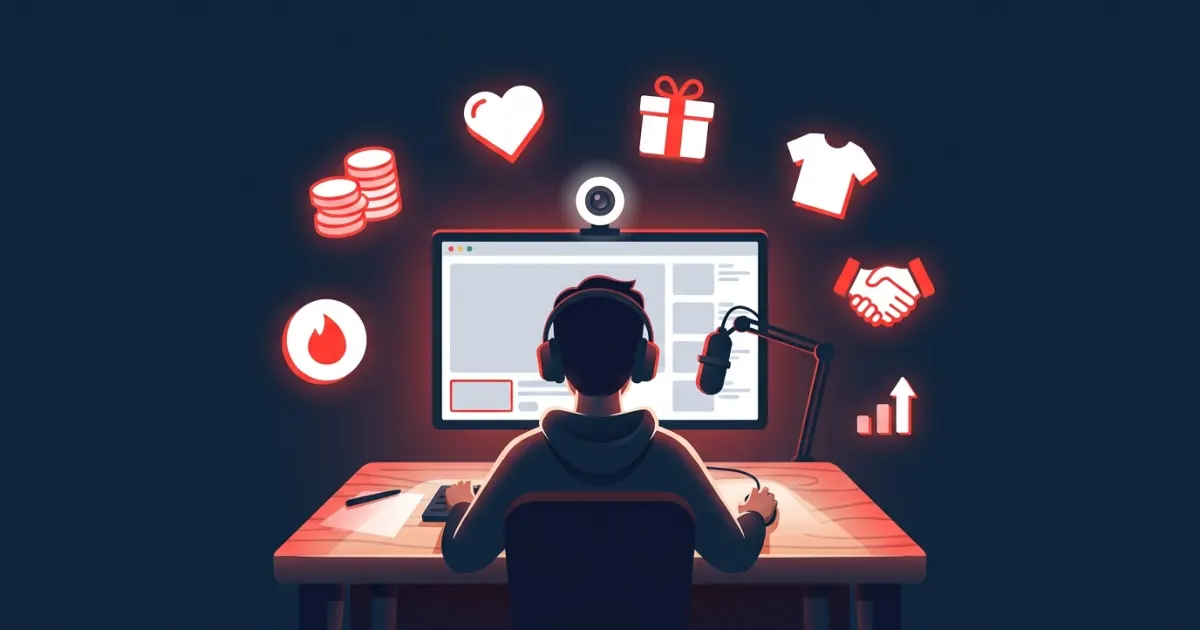
You can start earning from a small stream long before Affiliate or Partner by stacking a few modest income sources you control: direct support from viewers, your own merch or services, disclosed affiliate links, and small sponsorships such as per-minute ad slots on your overlay. As of 2026, Twitch also lets any streamer who completes monetization onboarding accept subs and Bits (cashing out still requires Affiliate), and YouTube opens fan funding at 500 subscribers.
Key takeaways
- Twitch's Path to Affiliate asks for 25 followers, 4 hours streamed, 4 streaming days and an average of 3 viewers on 4 of those days, all within 30 days.
- On YouTube, fan funding opens at 500 subscribers. Ad revenue needs 1,000 subscribers, and the watch-hour bar for new creators doubles on February 1, 2027.
- Before you qualify, the money comes from things you run yourself: tips, memberships, merch, services, affiliate links and direct sponsors.
- Self-serve ad slots let brands book short banner placements on your stream at a price you set, with no follower minimum.
- Every paid placement needs a clear disclosure and has to follow your platform's branded content rules.
What does Twitch require for Affiliate and Partner in 2026?
As of 2026, Twitch's help article on joining the Affiliate Program lists four achievements you must complete within the same 30-day period:
- Reach 25 followers
- Stream for 4 hours
- Stream on 4 different days
- Reach an average of 3 viewers on 4 different days
"Average of 3 viewers" means three concurrent viewers (people watching at the same time), not three total views, and days below that average don't count against you. You also need two-factor authentication to start onboarding.
Partner is a much bigger step. Twitch's Achievements page describes Path to Partner as six streams on six unique days averaging 75 viewers, in each of two consecutive 30-day periods. The Partner Program overview adds that meeting the criteria lets you apply but doesn't guarantee acceptance.
The 2026 twist: subs and Bits before Affiliate
Twitch has opened some tools to everyone. Its About Monetization on Twitch page says any streamer who accepts the Monetized Streamer Agreement and completes onboarding can use subscriptions and Bits. The catch: until you reach Affiliate, that money isn't paid out. It sits in a Spendable Balance you can use on eligible Twitch purchases. Payouts start at Affiliate; check Twitch's current help pages for which other tools (such as ads) require Affiliate status.
It's worth doing the onboarding early, because it gives your most loyal viewers a way to support you. Just don't count that balance as cash yet.
What does YouTube require?
YouTube has two tiers. As of 2026, the expanded YouTube Partner Program opens fan funding and Shopping in eligible countries once you have 500 subscribers and 3 valid public uploads in the last 90 days, plus either 3,000 qualified watch hours in the last 12 months or 3 million qualified Shorts views in the last 90 days. That tier includes channel memberships, Super Chat, Super Stickers and Super Thanks, which are the tools that matter most on a live stream.
Ad revenue sharing currently requires 1,000 subscribers plus 4,000 qualified watch hours in 12 months or 10 million qualified Shorts views in 90 days, according to YouTube's YPP overview. That's about to change. YouTube's program changes page says that starting February 1, 2027, new creators will need 8,000 qualified watch hours in the last 365 days or 20 million qualified Shorts views in the last 90 days, still alongside 1,000 subscribers. Channels already in YPP aren't affected, and the 500-subscriber fan funding thresholds aren't changing.
You'll also need 2-Step Verification, one AdSense for YouTube account linked to your channel, no active Community Guidelines strikes and a channel in an eligible country.
| Program | Requirements (as of 2026) | What you get |
|---|---|---|
| Twitch monetization onboarding | Accept the Monetized Streamer Agreement and finish setup | Subs and Bits, held as Spendable Balance until Affiliate |
| Twitch Affiliate | 25 followers, 4 hours, 4 days, average of 3 viewers on 4 days, all within 30 days | Payouts, ads and more tools |
| Twitch Partner | 6 streams on 6 days averaging 75 viewers, in each of two consecutive 30-day periods, then an application | Partner tools and support |
| YouTube expanded YPP | 500 subscribers, 3 public uploads in 90 days, plus 3,000 watch hours (12 months) or 3M Shorts views (90 days) | Memberships, Super Chat, Super Stickers, Super Thanks, Shopping |
| YouTube YPP ad revenue | 1,000 subscribers plus 4,000 watch hours or 10M Shorts views; new creators from Feb 1, 2027: 8,000 hours or 20M Shorts views | Ad and Premium revenue sharing |
Ways to earn before you qualify
The platform programs are only part of the picture. None of these options has a follower minimum.
1. Direct tips
A tip link (PayPal, Ko-fi or the donation page from your streaming tools) in your panels or description is the simplest place to start. Thank tippers on stream and give people a concrete goal, like a new microphone.
2. Off-platform memberships
A membership page with small perks, such as behind-the-scenes posts, Discord roles or early access to highlights, turns your most loyal viewers into steady support. Only offer perks you can deliver every month.
3. Merch and digital goods
Print-on-demand merch, emote commissions, overlays, presets or guides cost little to launch. Make it obvious the product is yours when you promote it. The FTC's Endorsement Guides FAQ says that if it isn't clear a brand is the creator's own, that fact should be disclosed.
4. Services
Coaching, art commissions, video editing, music lessons: your stream works as a live portfolio. A small but focused audience can be enough to fill a few slots a month.
5. Affiliate links
Retailer and brand affiliate programs pay a commission on sales made through your link. Disclose them properly. The same FTC FAQ says a creator who earns affiliate commissions should disclose that relationship both in the video and in the description near the links.
6. Direct sponsorships
Local shops, indie game studios, small apps and creator tools often prefer to start with a small, cheap test. A one-page media kit is enough to open conversations: your schedule, average concurrent viewers, what your audience is into and a few clip links.
7. Self-serve ad slots
Instead of negotiating every deal, you publish a per-minute price and let advertisers book short banner slots on your overlay themselves. More on that below.
Where self-serve ad slots fit
Self-serve slots work like a booking page for sponsorships. A brand picks a duration, uploads a banner and pays. You approve or reject, and the banner appears on your stream for the minutes they bought. For a small channel, the appeal is that there's no audience threshold, buyers can start small and you never chase invoices.
Be realistic: a small audience means modest totals, and slots are unlikely to replace subs and Bits as you grow. Think of them as a way to earn from the audience you already have and to build a track record with brands. If you're setting a price for the first time, our per-minute pricing guide walks through the math.
Platform rules you need to respect
A paid banner on your stream is sponsored content, so treat it that way:
- Twitch. As of 2026, Twitch's Terms of Service reserve the sale and serving of ads to Twitch and say third-party ad networks may not serve ads through the service. The same terms allow branded content that you disclose with Twitch's Branded Content tool. Twitch's Branded Content Guidelines list "brand logo stream overlays" as branded content and ban promoting categories such as weapons, tobacco, risky gambling and certain financial products. They also say you're responsible for branded content activated through any external service. Read the current terms yourself before you sell slots.
- YouTube. YouTube's Branded Content Policies apply to live streams and require the paid promotion declaration in YouTube Studio. YouTube also says creators can't include third-party ads where YouTube offers a comparable ad format, naming video ads and bumpers as examples. Read that rule and decide how it applies to your setup before selling slots there.
- Everywhere. Disclose clearly, both on screen and out loud. Our guide to sponsorship disclosure on live streams covers the FTC, Twitch, YouTube and UK rules.
How this works on AD on Live
AD on Live is a self-serve marketplace for this kind of slot. Setup takes a few minutes and needs no plugin or download:
- Sign up free at /join and verify your email.
- Pick a channel name. You get a public booking page at adonlive.com/s/your-channel.
- Set your price per minute (USD) and your banner size in pixels (300×100 by default).
- Copy your overlay URL from the dashboard and add it in OBS Studio as a Browser Source sized to your banner. It also works in other software that supports browser sources, such as Streamlabs Desktop. Our OBS Browser Source guide shows each step.
When no ad is running, the overlay shows a QR code that opens your booking page plus your price ("AD Here — $X/min"), so viewers and brands watching can book the next slot. Add ?idle=hide to the URL if you'd rather hide that idle state. Advertisers don't need an account. They choose 1–60 minutes, upload and crop a banner, and pay with PayPal.
The payment is only authorized at checkout. It's captured when you approve the ad, which you do while you're on air (your overlay online in OBS or a live session started in the desktop app), and the ad starts right away. If you reject it or don't respond within 3 days, the authorization is voided and the advertiser isn't charged. Our guide on reviewing and approving ads has a checklist.
You set the price and keep 80%, since the platform fee is 20%. Founding partners (the first 100 streamers) pay 10% for their first year. Payouts go out weekly via PayPal to the email you add in your dashboard settings.
A 30-day starter plan for a small channel
- Week 1: Complete Twitch monetization onboarding or check your YouTube eligibility in Studio. Add a tip link and a one-line "support the stream" panel.
- Week 2: Set up your ad slot and overlay, and test it in a private scene. Write a short sponsor policy covering what you accept and what you don't.
- Week 3: Mention once per stream that the slot is open and that the QR code books it. Send your media kit to three local or niche brands.
- Week 4: Look at what sold and what didn't. Adjust your price or banner size, and keep a steady schedule. Consistency is what moves you toward Affiliate and YPP anyway.
Start with the audience you have
A small stream won't pay a salary on day one, but it can earn real money that grows with your community. Stack a few sources you control, disclose every paid placement and let the platform programs come as your numbers grow.
If a self-serve ad slot sounds like a fit, create your free AD on Live channel and set your first per-minute price in a few minutes. Want the details first? Read the streamer overview.
Frequently asked questions
What are the Twitch Affiliate requirements in 2026?
As of 2026, Twitch's help center lists four achievements to complete within the same 30-day window: reach 25 followers, stream for 4 hours, stream on 4 different days, and reach an average of 3 concurrent viewers on 4 different days. Two-factor authentication is required to start onboarding.
Can I earn money on Twitch before becoming an Affiliate?
As of 2026, Twitch lets any streamer who accepts the Monetized Streamer Agreement and completes onboarding turn on subscriptions and Bits. Until you reach Affiliate, those earnings can't be paid out; they can only be used as Spendable Balance on eligible Twitch purchases.
How many subscribers do you need to make money on YouTube?
YouTube's expanded Partner Program opens fan funding and Shopping at 500 subscribers with 3 public uploads in the last 90 days plus 3,000 watch hours in 12 months or 3 million Shorts views in 90 days. Ad revenue needs 1,000 subscribers, and from February 1, 2027, new creators also need 8,000 watch hours or 20 million Shorts views.
Can small streamers get sponsors?
Yes. Local businesses, indie game studios and small apps can be a good fit because they often want a focused audience and a cheap test rather than huge reach. Short, time-based overlay ad slots let them start small, and you can approve or reject every ad.
Do I need to disclose paid ads on my stream?
Yes. Twitch requires its Branded Content tool for branded content, YouTube requires its paid promotion declaration, and the FTC expects clear disclosures repeated during live streams. This is general information, not legal advice.
Sources
- help.twitch.tv/s/article/joining-the-affiliate-program?language=en_US
- help.twitch.tv/s/article/achievements?language=en_US
- help.twitch.tv/s/article/partner-program-overview?language=en_US
- help.twitch.tv/s/article/streamer-benefits?language=en_US
- support.google.com/youtube/answer/13429240?hl=en
- support.google.com/youtube/answer/72851?hl=en
- support.google.com/youtube/answer/12843009?hl=en
- ftc.gov/business-guidance/resources/ftcs-endorsement-guides-what-people-are-asking
- legal.twitch.com/en/legal/terms-of-service/
- help.twitch.tv/s/article/branded-content-policy?language=en_US
- support.google.com/youtube/answer/17596007?hl=en
- support.google.com/youtube/answer/3364658?hl=en
Sell sponsor slots on your stream
Create a free channel, add one OBS browser source and approve the ads you like.
Start earning — it's free